
A presentation can look ready for a meeting before its conclusions are ready to defend. That distinction became the most interesting part of this Manus AI review.
The Manus example examined here turned a fictional sales brief into a structured management presentation. It organized revenue, product performance, regional results, and an October action plan into a coherent deck. Subsequent versions showed meaningful revisions, including a redesigned comparison slide and an additional page of questions for management to investigate.
One early slide also contained a percentage that did not match its own numbers.
For this review, I examined a recorded Manus 2.0 Lite session and four exported versions of that presentation, alongside a separate PPT Maker recording and export. The assignments were different, so they illustrate each workflow rather than establish a head-to-head winner.
My assessment: Manus is a capable drafting and revision partner for presentations. Whether I would choose it depends on how much work needs to happen before the slides—and how much control I need afterward.
What Is Manus AI?
How Does Manus AI Work?
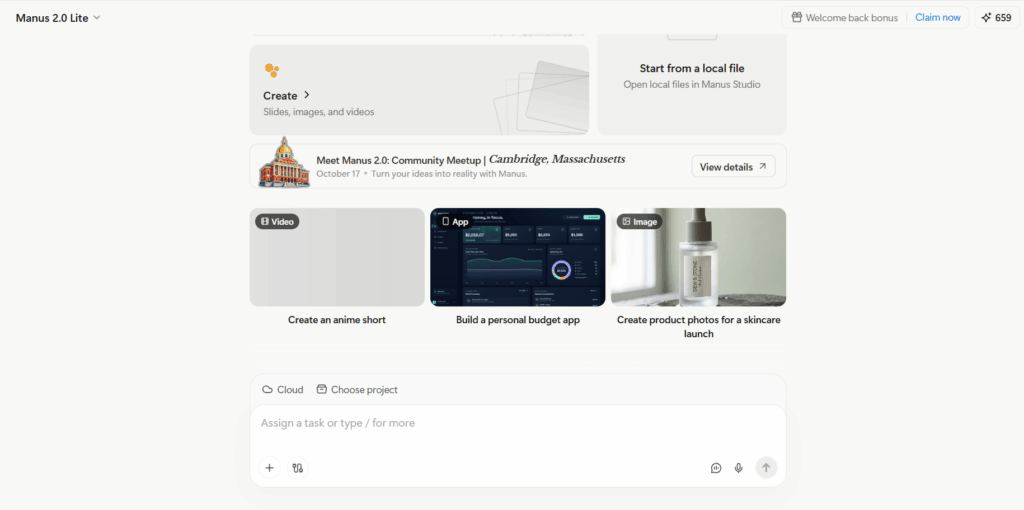
Manus is a general-purpose AI agent that works through multi-step assignments, including research, analysis, and content creation. Presentations are one possible output.
Instead of starting with individual slide layouts, you describe an assignment and provide context. Manus works toward a deliverable that you can review and revise.
For a management presentation, that assignment includes deciding what deserves attention, connecting performance to action, and separating established findings from unresolved questions. Formatting is only part of the job.
Who Is Manus AI For?
I would consider Manus for someone who regularly turns substantial material into reports, recommendations, and presentations. A consultant or sales operations manager may benefit from handling those activities in one workspace.
Someone who already has an approved outline and simply needs a polished deck has a narrower problem. A dedicated presentation workflow may be easier to manage in that situation.
What Are the Key Features of Manus AI?
Research and Multi-Step Task Execution
Manus’s broader appeal is its ability to connect steps that might otherwise require separate tools. Research can lead to analysis, which can lead to a report or presentation.
The sales example here used supplied fictional business material. It demonstrates how Manus handles a bounded assignment, rather than how reliably it conducts independent market research.
That distinction matters when choosing a tool. Organizing a detailed brief and discovering trustworthy information from scratch are different challenges.
Content Creation and Data Analysis
The useful part of the sales deck was its organization. It moved from an executive summary into revenue trends, product and regional performance, conversion, and next steps.
That sequence gives a meeting somewhere to go. Readers can understand the overall result before discussing what needs to change.
The calculations still deserve scrutiny. A convincing narrative does not establish that every supporting inference is correct.
AI Presentation Generation
Manus combined those business points with a restrained visual style: a dark cover, light content slides, prominent metrics, and supporting tables or graphics.
I prefer that approach for an internal performance review. It leaves room for the numbers and decisions instead of making every page compete for attention.
How Do You Create a Presentation with Manus AI?
Start with a Prompt or Upload Your Materials
The recorded workflow began with an uploaded text brief. Manus used it to build a 10-slide Northstar Workplace sales review and action plan.
A detailed brief matters here. Revenue definitions, targets, audience, and decision requirements give the agent boundaries. Without them, you are asking it to make both the presentation and too many assumptions about the business.
For financial or operational reporting, I would explicitly distinguish actual revenue, future targets, and potential pipeline.
Generate and Review the Slides
The initial deck covered the expected management questions: What happened? Where did performance differ? What should happen next?
Its executive summary presented $288,000 in revenue, 96% target attainment, and 20% growth over August. Later pages explored product results and a decline in proposal-to-win conversion.
That is a useful first draft. My next step would be to review the argument before adjusting the design: do the headlines accurately describe the numbers, and do the proposed actions follow from the evidence?
Edit, Export, and Share Your Presentation
The revision sequence is more revealing than the initial generation.
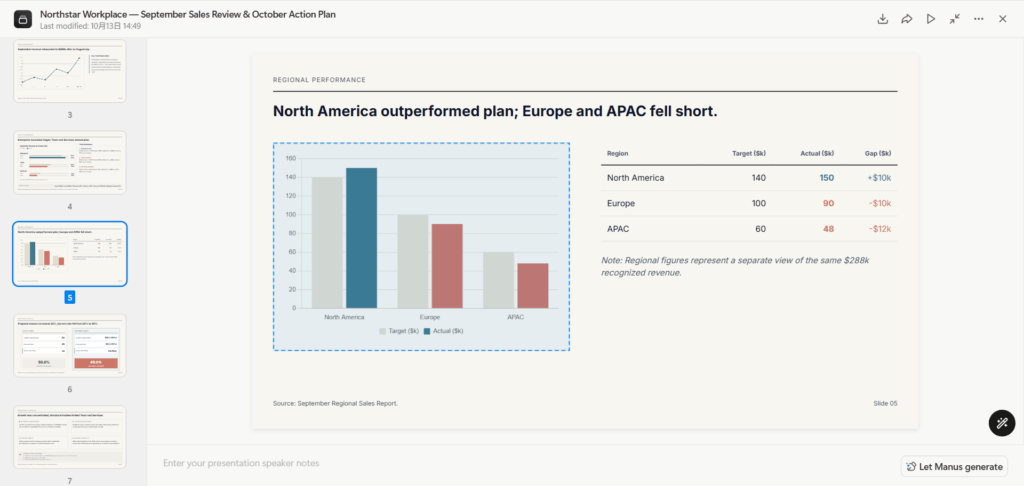
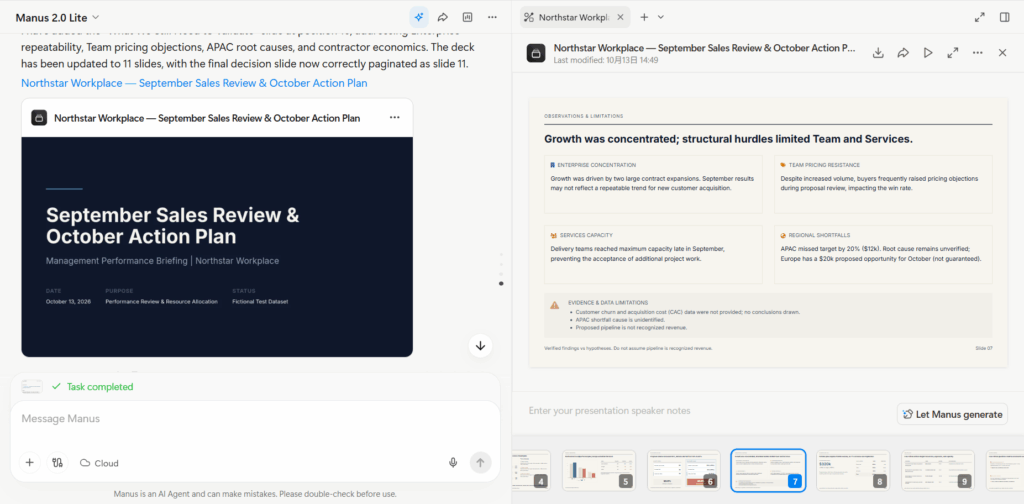
A later version changed the summary to emphasize that Enterprise exceeded target while Team and Services missed. Another replaced the product table with target-versus-actual comparisons and three takeaways. The final version added a validation page before the management decision, bringing the deck to 11 slides.
These are substantive changes. They show a workflow in which you can direct the presentation toward a clearer argument rather than accept the first output.
How Good Is Manus AI for Presentations?
Content Quality, Accuracy, and Sources
The strongest content feature was the separation of findings from unknowns. The deck acknowledged missing churn and acquisition-cost data, an unexplained APAC shortfall, and the difference between pipeline and recognized revenue.
But the original product slide said Enterprise growth offset 71% of the combined Team and Services shortfall. Its figures showed an $18,000 positive variance against a combined $30,000 deficit. That is 60%.
A later version replaced the percentage with the correct dollar relationship.
This is exactly the kind of error I would check before presenting: the underlying numbers look plausible, and the sentence sounds authoritative. Reviewing only the headline metrics would miss it.
Source labels also need context. A reference to a supplied performance report helps identify the input; it does not independently validate the conclusion.
Slide Design and Layout
The recorded deck looked appropriate for an internal business review. Large figures made the summary easy to scan, while supporting pages used a consistent hierarchy.
Some slides carried substantial detail, particularly the limitations and execution sections. That may work for a document people read afterward, but I would simplify selected pages for a live presentation.
Good slide design depends on how the deck will be used, not just whether the preview looks polished.
Editing and Customization
The revisions demonstrate a practical strength: Manus can respond to instructions about a slide’s purpose and structure.
Changing a product page into a comparison with takeaways is more valuable than changing its accent color. Adding a validation page also improved the distinction between what management knew and what it still needed to investigate.
Still, I would review each revision. A successful structural change does not guarantee that every label, calculation, and qualification survives intact.
PowerPoint Export and Compatibility
The exported Manus files contained separate text objects. They were not simply full-slide screenshots.
However, none of the four exports contained native PowerPoint chart objects. That matters if your monthly workflow depends on opening a chart’s data sheet and updating its underlying values.
“Editable PPTX” is too broad a promise on its own. Editing text, moving graphics, and updating a data-linked chart are different capabilities. I would check the objects I actually need to maintain before committing to a recurring workflow.
How Much Does Manus AI Cost?
Free Access and Paid Plans
At the time of writing, Manus offers a free plan with access to Manus 2.0 Lite in Agent Mode and 300 daily refresh credits.
Paid Pro options start at $20 per month with 4,000 monthly credits. A $40-per-month option starts at 8,000 credits, while Team plans start at $20 per seat per month. Plan allowances and billing terms can change, so check the subscription screen before purchasing.
The presentation reviewed here used Lite. I would not assume the same results apply to every available model.
How the Credit System Works
Manus measures usage in credits, with longer or more complex tasks requiring more. That makes the subscription price only part of the cost calculation.
A brief-to-deck assignment and a presentation requiring extensive research may consume different amounts. Revisions add another variable.
The practical question is whether your allowance supports the work you actually do, including the changes needed after the first draft.
Costs to Consider When Creating and Revising Slides
I cannot give a defensible cost per deck from this example because the complete credit expenditure was not established.
For my own buying decision, I would track the entire assignment: initial generation, structural revisions, factual review, and export cleanup. The meaningful unit is an approved presentation, not a first draft.
A tool can reduce the work of organizing slides while still leaving substantial verification to the presenter.
What Are the Pros and Cons of Manus AI?
Where Manus AI Adds Value
Manus makes sense when developing the argument is a substantial part of creating the slides. The sales example had a coherent progression, useful management framing, and revisions that changed the presentation’s substance.
I particularly liked the added validation page. It gave unresolved questions a place in the deck instead of forcing every issue into a confident recommendation.
That is valuable in a business presentation, where acknowledging what remains unknown can improve the discussion.
Limitations to Consider Before Paying
The arithmetic error is a reminder that human review remains essential. Export structure is another concern for people who need maintainable, data-driven charts.
There is also a workflow preference involved. Conversational revision works well when I can describe the outcome I want. For precise, repetitive adjustments to individual objects, a familiar slide editor may be more comfortable.
What Are the Alternatives to Manus AI for Presentations?
PPT Maker: An Option for Turning Existing Content into Slides
PPT Maker offers a focused presentation workflow. In its separate recorded example, a prompt about AI in everyday life led through an editable outline, slide generation, preview, and download.
The outline stage is the part I value most. It creates a clear opportunity to review coverage before proceeding to the finished deck.
The resulting nine-slide presentation covered everyday applications, emerging trends, and responsible development. Its brighter colors, icons, and sectional layouts suited an introductory educational topic. The export also contained separate text objects.
For a lesson, explainer, or straightforward topic presentation, that process would appeal to me. The example does not establish how PPT Maker would handle the same financial brief, so I would not use it to claim superior analytical accuracy.
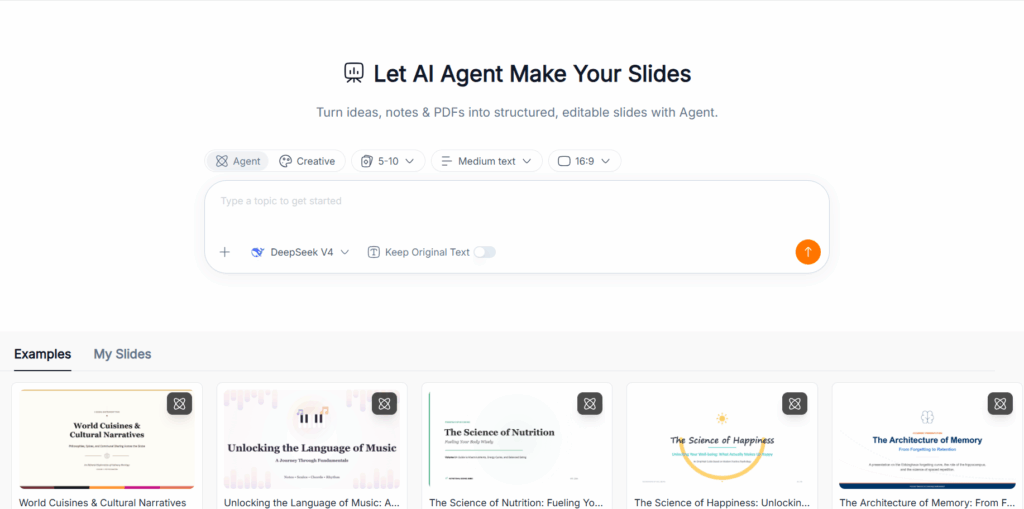
Plus AI: An Option for PowerPoint and Google Slides Workflows
Plus AI is worth considering when PowerPoint or Google Slides is already where your team creates and revises presentations. Its subscription includes extensions for both applications.
The reason to consider it is continuity. If colleagues already review, edit, and present in those environments, keeping AI assistance there may reduce workflow friction.
My recommendation here concerns where the tool fits into your work. I have not evaluated a Plus AI export alongside these examples, so I would not rank its output quality against them.
How to Choose the Right Tool for Your Needs
| Your main need | Tool to consider | Deciding factor |
| Develop a business narrative and revise it conversationally | Manus | How much analysis and restructuring the assignment requires |
| Follow a focused prompt-to-outline-to-slides process | PPT Maker | Whether reviewing the outline early suits your workflow |
| Work inside PowerPoint or Google Slides | Plus AI | Where your team already edits and collaborates |
I would choose based on the work that creates the most friction. A broader agent is not automatically better for a narrower task.
Is Manus AI Worth It?
When Manus AI Makes Sense
Manus is worth considering when you need help shaping material into a presentation, not merely decorating an outline.
The Northstar example showed that potential clearly. It produced a useful management structure and supported meaningful revisions. If similar assignments also involve research or written reports, the broader agent capabilities become more relevant to the subscription decision.
When to Consider a Dedicated Presentation Tool
I would look elsewhere when the content is largely settled and my priority is a predictable slide-making process.
PPT Maker offers a focused option with an outline checkpoint. Plus AI deserves consideration when working inside established presentation software is the priority.
My verdict on Manus is positive but specific: it can help build and reshape a business presentation, while the responsibility for defensible numbers and a usable final file remains with the presenter.
Frequently Asked Questions
Is Manus AI Free to Use?
Yes. Manus has a free plan with limited credits and Lite access. Whether that allowance covers your intended presentation work depends on the task and revisions.
Can You Edit Slides Created with Manus AI?
Yes. The recorded workflow demonstrated revisions to existing slides and the addition of a new page. The exported files also contained separate text objects, although that does not mean every graphic supports data-level editing.
Can Manus AI Export Presentations to PowerPoint?
Yes. The four Manus files examined here were PPTX exports. Check the exported structure against your needs, particularly if you expect native charts with editable data.
Does Manus AI Include Sources and Citations?
The sales deck included labels identifying supplied reports. That is different from verified external citations. For research-heavy work, request traceable sources and check whether they support each material claim.
What Is the Difference Between Manus AI and PPT Maker?
Manus approaches presentations as one output of a broader agent workflow. PPT Maker centers the experience on creating slides. My preference depends on whether the assignment needs substantial analysis and iterative restructuring, or a focused route from content to presentation.
Conclusion
Manus’s strongest contribution is helping turn a business brief into a presentation with a clear argument—and then reshaping it through specific revision requests. The sales review showed that capability, but it also showed why a polished deck still needs a careful numbers check. Exporting to PowerPoint does not guarantee that every chart will behave like a native, data-editable chart.
I would choose Manus when analysis and restructuring are substantial parts of the assignment. For a more focused path from a topic or existing content to slides, PPT Maker is worth considering, particularly if you prefer reviewing an outline before generating the deck. Plus AI makes sense when keeping the work inside PowerPoint or Google Slides matters most.
My recommendation is to judge Manus by the presentation you can confidently deliver after review, not just the first draft it generates.